
Minus Nine Engineering
Try it on your own system

Finial prepares, checks and questions.Safety engineers do the engineering.

The AI-enhanced system safety engineering platform for ARP4761A / ED-135.

Trusted by customers

Customers

  • Vertical Aerospace
  • C3RiOS
  • FlyNow Aviation
  • GEMe Aviation Europe

UK developer of electric and hybrid-electric vertical take-off and landing aircraft, based in Bristol.

Visit website ↗

Montreal developer of avionics software and integrated cockpit systems for civil and special-mission aircraft.

Visit website ↗

Salzburg developer of the eCopter, an automated electric helicopter for cargo and, later, passenger flights.

Visit website ↗

Engineering and integration partner of FlyNow Aviation in Europe, based in Germany.

With the safety engineer at every step, from FHA to PSSA.

Prepared for you

Loss of automatic trimMAJ, proposed
Loss of trim with jamHAZ, proposed
Illustrative workflow

Never start from zero.

Finial prepares each step for you.

Finial Assist

You take credit for crew detection. How does the crew detect this failure?

Do you want to capture this as an assumption?

Capture as assumption
Illustrative workflow

Never work alone.

Finial checks and questions as you go.

Your decision

SeverityHAZ
Decided by youApproved
Illustrative workflow

Focus on your judgement.

You make the engineering decisions.

Stop switching between tools. Do the whole assessment in one.

Today

WordExcelPDF viewerFault tree toolSharePointLocal foldersCtrl+FAI chat

Finial

Project documentsEnhanced document viewer
System digital twin
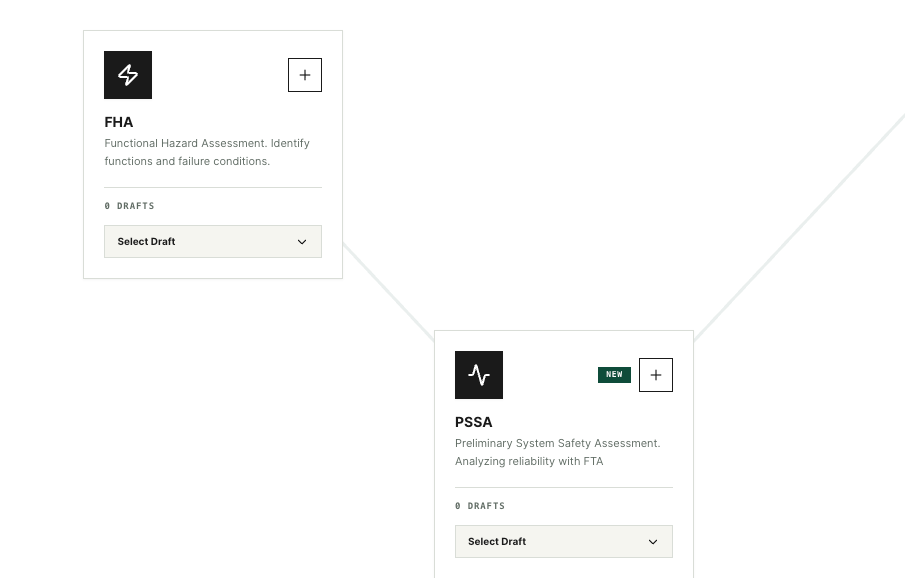
FHA
PSSAFault tree analysis · CMA
Assumption and requirement database
Report drafting
Finial Assist
Illustrative workflow

Read the documents, do the analysis and write the report, from FHA to PSSA, without leaving Finial.

Ask your documents. Use the answer in your assessment.

  • No more searching page by page.

    Finial Assist already has your project documents. Ask, and it finds the answer.

  • No more answers stuck in a chat.

    Put what it finds straight into the FHA or PSSA, with a reference to the source.

  • No more getting stuck on missing design detail.

    Brainstorm with Finial Assist to find the best practical assumption and move forward.

Finial Assist

  1. Safety engineer

    How does the crew detect a trim runaway?

  2. Finial Assist

    Through the trim-in-motion aural alert and the trim position display.

    System description, section 4.2
  3. Safety engineer

    Please implement this detection in this failure condition.

  4. Finial Assist

    Added to FC-27-40-001, linked to its source. Ready for review.

Illustrative workflow

An expert peer, checking while you work.

  • It keeps watch over quality.

    Inconsistencies, mistakes, gaps in logic and departures from best practice are flagged as you go.

  • You review and correct.

    Every flag explains its reason. You decide what to do with it.

  • Warning

    The report states FDAL B. The allocation table states FDAL A.

  • Caution

    Crew detection is credited, but no assumption covers it.

  • Advice

    Name the flight phase in which this effect is most severe.

Illustrative workflow

Fully traceable. Deterministic when it matters.

  • No more links kept by hand.

    Every requirement, number and decision leads back through the PSSA and FHA to its function and source document.

  • Calculated by rules, not generated by AI.

    Probabilities, FDAL and IDAL, fault tree results and safety requirements are computed deterministically.

  • Same input, same result.

    Open any number to see how it was calculated and where its inputs came from.

  1. System description

    Section 4.2

    Input
  2. Function

    Control pitch trim

    Input
  3. Failure condition

    Uncommanded pitch trim runaway, not arrested

    CAT
  4. Safety objective

    ≤ 1.0E-9 per flight hour · FDAL A

    Computed
  5. Fault tree budget

    Monitor failure: 1.0E-4 per flight hour

    Computed
  6. Requirement

    The monitor failure rate shall not exceed 1.0E-4 per flight hour.

    Computed
Illustrative workflow

The design changes. Finial flags the impact in safety assessments.

  1. A document is revised.

    System descriptionIssue B
  2. The FHA is flagged.

    FC-27-40-001To review
  3. The PSSA is flagged.

    Fault tree, AND gateTo review
  4. You decide.

    Change and rationaleRecorded

Finial supports. You decide.

A fraction of the time. With the first peer review built in.

  • Draft FHA report

    2 weeks

    instead of 1 month*

  • Draft PSSA report

    3 weeks

    instead of 2 to 3 months*

  • Document quality check

    7 in 10

    flagged issues were worth fixing*

A mature report reaches the CVE or DER.So they review the engineering, instead of doing sanity checks.

*Based on pilot project results.

Why not just use an LLM? Or build the tool internally?

The best-performing aviation OEMs focus on one thing: developing the best product they can for their customers.

Building and looking after a tool is a different job.

An LLM on its own

Today
WordExcelPDF viewerFault tree toolSharePointLocal foldersCtrl+F+ LLM
  • A chatbot, perhaps with a small tool built around it.
  • Answers never land directly in the assessment.
  • Constant back and forth, and a chat history that is hard to manage.

One more tool to juggle.

An internal tool

Aircraft programmeSafety engineer missing
Internal tool projectSafety engineerSoftware developer
  • Software developers and safety engineers, tied up together.
  • Billable engineering hours go into a tool, not into the product.
  • Software prototyping is getting easy. Making a reliable enterprise toolset is the hard part.

One more product to develop.

Finial

Aircraft programmeSafety engineer
streamlines
FinialPlug and play
FHAPSSAReport
  • Built for the safety engineering workflow.
  • Fully traceable. Answers land directly in the assessment.
  • Developed and maintained by us, so you can focus on your product.

One tool for your system safety.

Finial is independent of any one LLM. Models change. The assessment stays.

You could spend months connecting LLMs, scripts and spreadsheets, then maintain them.Or you could be doing safety engineering, in Finial.

Try it on your own system

Start with what you have. Deliver in your format.

Finial fits into the existing setup.

The tools and templates around it stay as they are.

1. Import what exists

  • System description

    As an MBSE model, or in Word, PDF or Excel.

    MBSE modelWordPDFExcel
  • Previous FHAs

    Legacy and previous project FHAs become native, editable assessments.

    Legacy FHAPrevious project FHA
  • Existing fault trees

    From established fault tree tools or a simple PDF, turned into native fault trees.

    Native tool formatsPDF

2. Work in Finial

Finial

Everything native, editable and linked.

3. Export what is needed

  • Reports

    In your own template and format.

    WordPDF.finial
  • All assessment data

    Every table and analysis can be exported.

    Excel.finial
  • Requirements

    Through interfaces to established requirements management tools.

    Requirements management tools.finial

Your data stays yours.

Learn more about data security
  • Deploy in your environment

    On-premise on your own servers, or in your own cloud environment.

  • No training on your data

    No data is used for model training.

  • Host in the region you choose

    EU, US or wherever your programme requires.

Finial

One system, one assessment. See the value without risk.

Try it on your own system